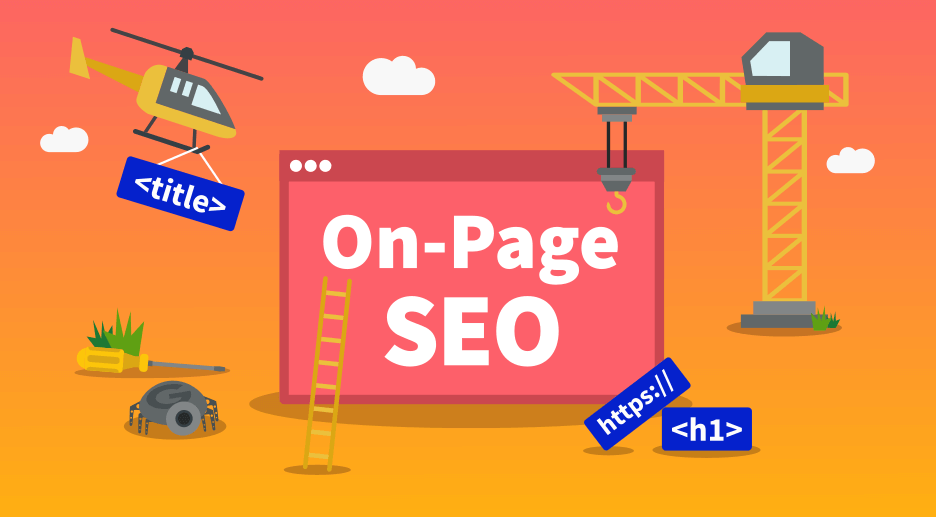
When small business owners first hear ‘SEO,’ they often picture complex code changes, developer work, and expensive technical audits. Some of it does involve technical elements — but on-page SEO is not one of them. On-page SEO is the most accessible, most directly impactful, and most completely within-your-control part of the entire SEO process.
You do not need to know how to code. You do not need to hire a developer. You need to understand what each on-page element is, why Google cares about it, and the specific changes to make on each of your key pages. Most small business owners who read this guide will be able to audit and optimise their entire website within one weekend.
This guide explains every on-page SEO element in plain English — what it is, why it matters, and exactly how to optimise it for a small business website in India. It also includes an on-page SEO checklist you can run through before publishing any new page or article.
68% of SEO professionals say on-page optimisation is the most important ranking factor they can directly control Moz, 2024 | 53% of pages that rank on page 1 have their target keyword in the title tag Backlinko, 2024 | 2× average CTR improvement when meta descriptions are rewritten with a clear benefit and CTA vs generic descriptions HubSpot, 2024 | 4–8 wk typical time for on-page SEO improvements to reflect in Google Search Console ranking data ProMentor data |
What is on-page SEO — and how is it different from other types of SEO?
SEO has three main branches. Understanding which is which helps you prioritise your efforts correctly:
SEO type | What it covers | Who controls it | Complexity |
On-page SEO | Title tags, headings, content, images, URLs, internal links, schema markup | You — directly via your CMS (WordPress, Wix, etc.) | Low — no coding required for most elements |
Technical SEO | Page speed, crawlability, sitemaps, HTTPS, mobile responsiveness, Core Web Vitals | Usually requires a developer for significant changes | Medium to high — backend website structure |
Off-page SEO | Backlinks, citations, Google Business Profile signals, social mentions | Partially you, partially earned from third parties | Medium — requires outreach and relationship building |
Why on-page SEO first: On-page SEO is the logical starting point because it is entirely within your control, it produces ranking improvements within 4–8 weeks, and it amplifies the effectiveness of every other SEO activity. Backlinks pointing to a poorly optimised page produce far less ranking benefit than backlinks pointing to a fully optimised one.
The 8 on-page SEO elements every small business must optimise
1. Title Tag What it is: The HTML title tag is the clickable headline that appears in Google search results and in the browser tab. It is the single most important on-page SEO element for signalling what your page is about. Why it matters: Google uses the title tag as a primary relevance signal for ranking. It is also the first thing a searcher reads when deciding whether to click your result. A well-written title tag improves both your ranking and your click-through rate simultaneously. How to optimise: 50–60 characters total. Place your primary keyword in the first 3 words. Add a benefit, location, or differentiator after the keyword. Format: Primary Keyword — Benefit | Brand Name. Example: ‘Google Ads for Small Businesses India — Free Audit | ProMentor’ (52 chars). NOT: ‘Welcome to Our Website — Digital Marketing Agency’ |
2. Meta Description What it is: The meta description is the 2–3 line text summary that appears under your title in Google search results. It does not directly affect rankings but dramatically affects click-through rate. Why it matters: A compelling meta description converts more impressions into clicks — and higher CTR is a positive user engagement signal that indirectly influences rankings over time. A missing or auto-generated meta description is a significant missed opportunity. How to optimise: 150–160 characters. Include your primary keyword naturally (Google bolds it in search results when it matches the query). Lead with the benefit to the reader. End with a CTA: ‘Read the guide,’ ‘Get a free audit,’ ‘Learn how.’ Example: ‘Learn how Google Ads works, what it costs in India, and how to avoid the most expensive mistakes. Free step-by-step guide by ProMentor.’ (155 chars) |
3. URL Structure What it is: The URL (web address) of each page is a minor but meaningful SEO signal. A clean, keyword-rich URL helps both Google and users understand the page’s topic before clicking. Why it matters: Google uses URL structure as a relevance signal. Clean URLs also earn higher CTRs because users can see what the page is about from the URL alone in search results and social shares. How to optimise: Use hyphens between words (not underscores). Include your primary keyword. Keep it short — ideally under 5 words. Remove stop words (the, a, for, and) unless needed for readability. Use lowercase only. Example: ‘/blog/google-ads-small-businesses-india’ — NOT ‘/blog/p=12345’ or ‘/blog/how-to-run-google-ads-for-small-businesses-in-india-2026-complete-guide’ |
4. H1 Tag and Heading Structure (H2, H3) What it is: Heading tags (H1, H2, H3) are HTML elements that structure your page content hierarchically. The H1 is the main page heading — there should be exactly one per page. H2s are section headings. H3s are sub-sections. Why it matters: Google uses heading tags to understand the structure and key topics of your page. Your H1 carries the second-highest on-page keyword signal after the title tag. Well-structured headings also make content significantly easier for readers to scan, which reduces bounce rate and improves dwell time. How to optimise: H1: include your primary keyword, closely match your title tag. One H1 per page only. H2s: use as section headings phrased as questions or keyword phrases your audience searches for — each H2 is a mini featured snippet opportunity. H3s: use for sub-points within H2 sections. Example: H1: ‘Google Ads for Small Businesses: A Complete Beginner’s Guide (India, 2026)’. H2: ‘How much do Google Ads cost for small businesses in India?’ (a real PAA question) |
5. Body Content and Keyword Placement What it is: The written content of your page — body text, lists, tables, and paragraphs — is where most of your keyword signals live. Google reads and analyses all body content to understand the page’s topic and quality. Why it matters: Content quality is the most heavily weighted on-page factor in Google’s ranking algorithm. Pages that comprehensively answer the searcher’s intent with accurate, well-organised, and genuinely useful content consistently outrank thinner, keyword-stuffed alternatives. How to optimise: Place your primary keyword in the first 100 words of body content. Use it naturally 5–8 times in a 2,000-word article (approximately 1–1.2% density). Use semantically related terms (LSI keywords) throughout. Write for the reader first — Google’s algorithm recognises natural language patterns and rewards content that reads like it was written for humans. Example: For a page targeting ‘digital marketing for restaurants,’ also use: restaurant marketing, online visibility for restaurants, food business marketing, customer acquisition for restaurants. Google understands these are related. |
6. Image Alt Text What it is: Alt text (alternative text) is a short description added to each image on your webpage. It is the text that appears if the image fails to load, and the text that screen readers use to describe images to visually impaired users. Why it matters: Google’s crawlers cannot ‘see’ images — they read the alt text to understand what each image shows. Descriptive, keyword-relevant alt text is a direct SEO signal. Blank alt text on multiple images is a missed opportunity across every page. Images with good alt text also appear in Google Image Search, creating an additional traffic source. How to optimise: Describe what the image actually shows, naturally incorporating your keyword where relevant. Keep it under 125 characters. Do not start with ‘image of’ or ‘photo of.’ Every image on every page should have descriptive alt text. Example: Good: ‘Google Ads dashboard showing cost per click for digital marketing agency’. Bad: ‘image1.jpg’ or ‘IMG_4521’ or blank. |
7. Internal Links What it is: Internal links are hyperlinks from one page on your website to another page on your own website. They are a critical on-page element that serves multiple SEO functions simultaneously. Why it matters: Internal links distribute ‘link equity’ (ranking power) across your website — helping lower-authority pages rank higher by receiving signals from higher-authority ones. They also help Google discover and understand the relationship between your pages, building your topical cluster authority. Well-placed internal links increase the average pages-per-session metric, which signals engagement quality to Google. How to optimise: Add 3–5 relevant internal links per article or page. Use descriptive, keyword-rich anchor text — never ‘click here’ or ‘read more.’ Link to pages that are genuinely related to the current page’s topic. Your highest-authority pages should link to your newest, lowest-authority pages to share ranking power. Example: Anchor text: ‘our complete guide to local SEO for small businesses in India’ — NOT ‘click here for more information.’ |
8. Schema Markup What it is: Schema markup is structured data added to your page’s HTML that helps Google understand the specific type and context of your content — whether it is an article, a FAQ, a how-to guide, a local business, or a product. Why it matters: Schema markup enables ‘rich results’ in Google Search — the enhanced listings that show star ratings, FAQ dropdowns, step-by-step process previews, and review counts directly in search results. These rich results consistently achieve higher click-through rates than standard blue-link results. Schema is also the primary GEO signal — AI systems like ChatGPT and Perplexity preferentially cite content with proper schema markup. How to optimise: Add FAQPage schema to every article with a FAQ section. Add HowTo schema to step-by-step guides. Add Article schema with author and publisher information to all blog articles. Add LocalBusiness schema to your homepage or contact page. Use Google’s Rich Results Test (search.google.com/test/rich-results) to verify your schema is valid before publishing. Example: Adding FAQPage schema to an article’s 7 FAQ questions can generate People Also Ask box positions for those specific questions in Google Search — appearing above position 1 organic results. |
Your on-page SEO checklist: run this before publishing every page
Use this checklist for every new page or article before publishing, and as an audit checklist for your existing top 10 pages.
Element | Checklist item | Status |
Title tag | 50–60 chars, primary keyword in first 3 words, benefit or location included | [ ] |
Title tag | Every page has a unique title tag — no duplicates across the site | [ ] |
Meta description | 150–160 chars, includes keyword, has a clear benefit and a CTA | [ ] |
Meta description | Every page has a unique, manually written meta description | [ ] |
URL | Short, hyphenated, keyword-rich, lowercase, no stop words | [ ] |
H1 | Exactly one H1 per page, includes primary keyword, matches intent of title tag | [ ] |
H2s | All major sections have H2 headings, phrased as questions or keyword phrases | [ ] |
Body content | Primary keyword appears in first 100 words | [ ] |
Body content | Keyword density approximately 1–1.2% (5–8 mentions per 2,000-word article) | [ ] |
Body content | Semantically related (LSI) keywords used naturally throughout | [ ] |
Images | All images have descriptive alt text including keyword where natural | [ ] |
Images | All images compressed under 150KB | [ ] |
Internal links | 3–5 internal links to topically related pages with keyword-rich anchor text | [ ] |
Schema | Article/FAQPage/HowTo schema added and validated via Google Rich Results Test | [ ] |
Mobile | Page displays correctly on mobile, no horizontal scrolling | [ ] |
Speed | PageSpeed Insights mobile score 70+ (check pagespeed.web.dev) | [ ] |
On-page SEO vs off-page SEO: what is the difference?
A common point of confusion for small business owners is the distinction between on-page and off-page SEO. Both contribute to rankings, but they work through fundamentally different mechanisms:
Factor | On-page SEO | Off-page SEO |
Definition | Optimisations made within your own website pages | Signals from outside your website that indicate authority |
Examples | Title tags, content, headings, images, schema, internal links | Backlinks, Google Business Profile, citations, reviews, social mentions |
Control | 100% within your control | Partially within your control — must be earned from third parties |
Speed of impact | 4–8 weeks for ranking improvements | 6–16 weeks for ranking improvements from backlinks |
Where to start | Always start here — on-page sets the foundation | Build after on-page is complete — backlinks to poorly optimised pages produce less benefit |
Cost | Zero if done yourself, ₹8,000–20,000/month if managed professionally | Zero for citations, ₹5,000–20,000+ for link building campaigns |
The right sequence: Optimise your on-page SEO completely before investing heavily in backlinks. A well-optimised page earns 2–3× more ranking benefit from each backlink than a poorly optimised one. On-page SEO is the multiplier that makes every other SEO investment more effective.
5 on-page SEO mistakes most small business websites make
Every page has the same title tag This is the most common on-page SEO mistake on Indian small business websites. A site where every page says ‘[Business Name] — Digital Marketing Agency’ tells Google nothing about what makes each page distinct. Google cannot rank five identically-titled pages for five different keywords. Fix: Write a unique title tag for every page on your website. Each one should include the specific primary keyword that page targets. If you have 20 pages, you need 20 unique title tags. |
Keyword stuffing in content and headings Repeating a keyword 20–30 times in a 500-word article does not help rankings — it actively hurts them. Google’s algorithm identifies unnatural keyword repetition as a low-quality signal and may suppress the page’s rankings. This practice was effective in 2008. It is counterproductive in 2026. Fix: Target 1–1.2% keyword density for your primary keyword. For a 2,000-word article, that is 5–8 mentions. Use your keyword naturally where it fits the sentence. Fill the rest with semantically related terms. |
No H1 tag, or multiple H1 tags on one page Many small business websites either have no H1 tag on their pages, or have accidentally created multiple H1 tags through their CMS theme settings. Both are on-page SEO errors that weaken your primary keyword signal for that page. Fix: Check your top 10 pages using a free tool like Detailed.com’s H1 checker. Each page should have exactly one H1 that includes the primary keyword for that page. Your CMS should be configured so that the page title automatically becomes the H1. |
Missing or default meta descriptions When you do not write a meta description, Google auto-generates one by pulling random text from your page. The auto-generated version is rarely compelling, rarely includes your keyword prominently, and almost never includes a CTA. This directly reduces your click-through rate from search results. Fix: Write a manual meta description for every page. Even a 10-minute investment in writing a clear, benefit-led meta description for your top 5 pages can meaningfully improve their CTR from Search Console data within 4–6 weeks. |
Images with no alt text A website with 30 images and zero alt text has 30 missed keyword signals and 30 accessibility failures. This is extremely common on Indian small business websites, particularly those built on page-builder platforms like Wix or Elementor where alt text fields are easy to skip during setup. Fix: Audit your images using a free tool like ahrefs.com/seo/broken-link-checker or your CMS’s built-in media library. Add descriptive alt text to every image that is missing it. Prioritise your homepage and top 5 service pages first. |
How to audit your website’s on-page SEO in under 2 hours
You do not need paid tools to run a thorough on-page SEO audit. Here is a free, systematic process:
Step 1 — Check title tags and meta descriptions (20 min): Search ‘site:yourwebsite.com’ on Google. Review how your pages appear in results. Identify missing, duplicate, or poorly written title tags and meta descriptions. Fix these in your CMS immediately.
Step 2 — Audit headings (15 min): Use a free tool like Detailed SEO Extension (Chrome) to check H1, H2, and H3 tags on each of your top 10 pages. Confirm exactly one H1 per page, all H1s include the target keyword, and H2s are descriptive section headings.
Step 3 — Review body content (30 min): Check your top 5 pages for keyword placement in the first 100 words, natural keyword density, and the presence of semantically related terms. Update any pages where the target keyword does not appear in the opening paragraph.
Step 4 — Check images (15 min): Open each of your top 10 pages. Right-click each image and inspect the alt text. Add descriptive alt text to every image that is missing it.
Step 5 — Review internal links (15 min): Check that your top pages link to at least 3 related pages using keyword-rich anchor text. Add internal links to any pages that are ‘orphaned’ (receiving no internal links from elsewhere on your site).
Step 6 — Validate schema markup (10 min): Go to search.google.com/test/rich-results and test each of your top 5 pages. Fix any schema errors or warnings that appear.