TL;DR — Read this if you’re in a hurry
Your Google Business Profile (GBP) is the single most powerful free tool for getting your small business found on Google Maps and local search. A fully optimised profile — with the right category, complete service list, regular photos, Google Posts, and active review management — consistently outranks incomplete listings regardless of business age. This guide walks you through every step, from initial setup to the advanced optimisation tactics most businesses miss.
Quick Answer
Google Business Profile (formerly Google My Business) is a free tool that lets you manage how your business appears on Google Search and Google Maps. Setting it up takes under 30 minutes. Optimising it fully — with the right categories, services, photos, and weekly posts — is what determines whether you appear in the coveted Google Local Pack when nearby customers search for your services.
Here’s a situation that plays out every day across India: a small business owner spends months building a great website, invests in SEO, and still watches a competitor rank above them on Google Maps — despite offering better services, better pricing, and more experience.
The difference, almost every time, comes down to one thing: the competitor has a fully optimised Google Business Profile and the business owner doesn’t.
Your Google Business Profile is not just a listing — it is your most visible digital storefront. It is what Google shows to customers at the exact moment they are ready to buy. In this guide, you will learn exactly how to set it up correctly and optimise every section for maximum local visibility in 2026.
What is Google Business Profile and why does it matter?
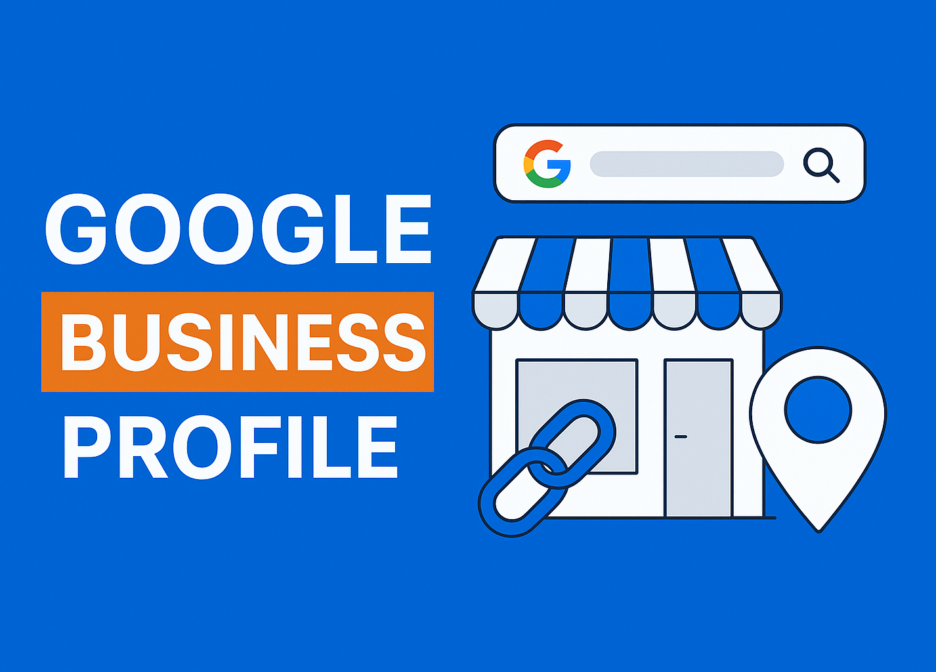
Google Business Profile (GBP) is Google’s free platform that allows business owners to manage their presence across Google Search and Google Maps. When someone searches for “digital marketing agency in Delhi” or “CA near me,” the three businesses that appear at the top — with star ratings, photos, and a map — are there because of their Google Business Profile.
This section of Google results is called the Local Pack, and it appears above organic website results. Getting into the Local Pack means your business is the first thing a potential customer sees — before they even scroll to your website.
For small businesses in India, this is the highest-value real estate on the internet. And unlike Google Ads, it is completely free. It is also the foundation of your local SEO strategy — without a claimed and optimised GBP, all other local SEO efforts are significantly weakened.
If you would prefer expert management, explore our professional local SEO management
Step-by-step: how to set up your Google Business Profile
1.Go to business.google.com and sign in
Visit business.google.com and sign in with the Google account you want associated with your business. Use a dedicated business email (e.g., info@yourbusiness.com) rather than a personal Gmail — this keeps your business presence professional and separate from personal accounts.
💡 Tip: If a listing for your business already exists (created automatically by Google or a previous owner), you will need to “claim” it rather than create a new one. Search for your business name on Google Maps first to check.
2.Enter your business name exactly as it appears everywhere
Type your business name precisely as it appears on your website, signage, and other online listings. Do not add keywords to your business name (e.g., “ProMentor Digital Solutions — Best SEO Agency Delhi”) — Google’s guidelines prohibit keyword stuffing in business names and it can get your listing suspended.
💡 Tip: NAP consistency is critical. “ProMentor Digital Solutions Pvt. Ltd.” and “ProMentor Digital Solutions” are treated differently by Google’s algorithm — choose one format and use it identically across every platform.
3.Choose your primary business category — carefully
Your primary category is one of the most important ranking factors in local SEO. It tells Google what your business does. Be as specific as possible: choose “Digital Marketing Agency” rather than just “Marketing Agency.” You can add up to 9 additional secondary categories (e.g., “SEO Agency,” “Advertising Agency,” “Social Media Agency”) — use all that apply.
💡 Tip: Research what primary category your top local competitors are using by checking their GBP listings. This reveals what Google is already rewarding in your market.
4.Add your location or service area
If you have a physical office or shop that customers visit, add your complete address. If you work from home or serve clients remotely across a region, choose “Service Area Business” and define your service areas by city or pin code. You can list up to 20 service areas — cover every location you actively serve, not just your base city.
💡 India tip: Add all major cities you serve — Delhi, NCR, Noida, Gurugram etc. Each service area strengthens your local ranking signals for that geography.
5.Add your phone number and website
Use your primary business phone number — the same one on your website and all other directories. Add your website URL. If you do not have a website yet, you can use a Google-hosted free page as a placeholder, but building a proper website should be your immediate next priority after your GBP is live.
6.Verify your business
Google requires verification before publishing your listing. The most common method in India is postcard by mail (a 5-digit PIN sent to your business address, takes 7–14 days) or video verification (a live video call showing your business premises). Some businesses qualify for instant phone or email verification. Your listing will not appear publicly until this step is complete.
💡 Tip: During the postcard wait, complete all other sections of your profile. Once the PIN arrives, you want to go live immediately with a fully complete, competitive listing — not a skeleton.
How to fully optimise your Google Business Profile (beyond basic setup)
Setup gets you listed. Optimisation gets you ranked. The majority of small businesses in India stop at setup — which is exactly why thorough optimisation is your competitive advantage.
Write a keyword-rich business description
Your business description (up to 750 characters) is a key relevance signal. Open with your primary keyword and location: “ProMentor Digital Solutions is a full-service digital marketing agency based in Delhi, helping small businesses across India with SEO, Google Ads, social media marketing, web design, and email marketing.” Be specific about your services and the audience you serve. Avoid links, promotional language (“best,” “cheapest”), or unverifiable claims.
Add every service you offer as a separate line item
Google allows you to build a detailed services list under your GBP. Add every individual service with its own name, description, and price range if applicable. A business with “SEO Audit,” “Local SEO,” “Technical SEO,” and “Content Marketing” listed as separate services will rank for far more queries than one with just “SEO” as a single line item. This is one of the most underused ranking levers in local SEO.
Upload photos consistently — and strategically
Profiles with photos receive 42% more requests for directions and 35% more website clicks than those without (Google, 2024). Upload a minimum of 10 photos at launch — a professional logo, cover photo, office or team photos, and work samples or client results. After that, add 2–3 new photos every month. Use real photos, not stock images. Name your photo files descriptively before uploading (e.g., digital-marketing-agency-delhi-team.jpg) — this is a small but real relevance signal.
Post on Google Business Profile every week
Google Posts are short updates (text + image + optional CTA button) that appear directly on your GBP listing. They signal to Google that your business is active and engaged, which positively influences your prominence score. Post at least once a week — share a new blog article, a client win, a service spotlight, or a seasonal offer. Posts remain visible for 7 days, so consistency matters more than perfection.
Manage your Q&A section proactively
The Questions & Answers section on your GBP is publicly visible — and anyone can post a question or answer, including competitors. Seed this section yourself by posting and answering your most frequently asked questions: pricing, process, turnaround times, service areas. This prevents misinformation, improves the user experience, and adds keyword-rich content to your listing at no cost.
Enable messaging and respond quickly
GBP includes a built-in messaging feature that lets potential customers contact you directly from your listing. Enable it and aim to respond within 24 hours — Google displays your average response time publicly, and a slow response rate is visible to every prospective customer evaluating your business against competitors.
The most common Google Business Profile mistakes to avoid
- Keyword stuffing in your business name — this violates Google’s guidelines and can result in the suspension of your entire listing.
- Inconsistent address format — even small differences between your GBP address and website address suppress your local rankings.
- Ignoring reviews — not responding to reviews (especially negative ones) damages both your reputation and your local prominence score.
- Choosing the wrong primary category — “Consultant” instead of “Digital Marketing Agency” can cost you dozens of ranking positions on competitive queries.
- Using a personal Gmail — this creates security and ownership risks; always use a dedicated business email address.
- Setting up and forgetting — GBP rewards ongoing activity. An untouched profile with no posts, no new photos, and no new reviews will be outranked by a newer, actively managed competitor every single time.
Your GBP optimisation checklist
Click each item to mark it complete. Use this every time you do a monthly GBP audit.
Business name matches exactly across all platforms (NAP consistency)
Primary category is as specific as possible (e.g., “Digital Marketing Agency”)
All relevant secondary categories added (up to 9)
Business description includes primary keyword + city + services (750 chars max)
Full services list added with individual descriptions for each service
Minimum 10 photos uploaded (logo, cover, team/office, work samples)
Business hours are accurate and up to date
Phone number matches website and all other directories exactly
Website URL is correctly linked and loading without errors
Q&A section seeded with your own top FAQs and answers
Messaging feature enabled, target response time under 24 hours
At least 1 Google Post published this week
All Google reviews (positive and negative) have received a response
GBP Insights reviewed this month (Views, Calls, Direction requests tracked)
How to track your Google Business Profile performance
GBP provides built-in analytics called GBP Insights, accessible from your business dashboard at business.google.com. The five metrics to review monthly are: Search queries (what people typed to find you), Views (how many times your profile appeared in Search and Maps), Direction requests (a strong purchase-intent signal), Website clicks, and Phone calls.
If your Direction requests and Phone calls are flat despite growing Views, it typically means your photos, reviews, or description are underperforming — people are finding you but not acting. If Views themselves are flat, your primary category or service area configuration likely needs attention.
Local SEO vs Google Business Profile: what’s the relationship?
Your GBP does not operate in isolation. It is the most important piece of your local SEO strategy, but it works in combination with your website’s on-page signals, your NAP consistency across directories, and the quality and quantity of your backlinks from local sources. Think of your GBP as the engine and your website as the fuel — both need to work together for maximum local ranking performance.
| Signal | Where it lives | Impact on local ranking |
|---|
| GBP category & services | Google Business Profile | Very high |
| Reviews (quantity + recency) | Google Business Profile | Very high |
| NAP consistency | GBP + website + directories | High |
| On-page local keywords | Your website | High |
| Local citations | External directories | Medium |
| Local backlinks | External websites | Medium |
| Google Posts frequency | Google Business Profile | Medium |
Conclusion — “Your GBP is one piece of your wider digital marketing presence — but it is the most important free piece available to small businesses today.”